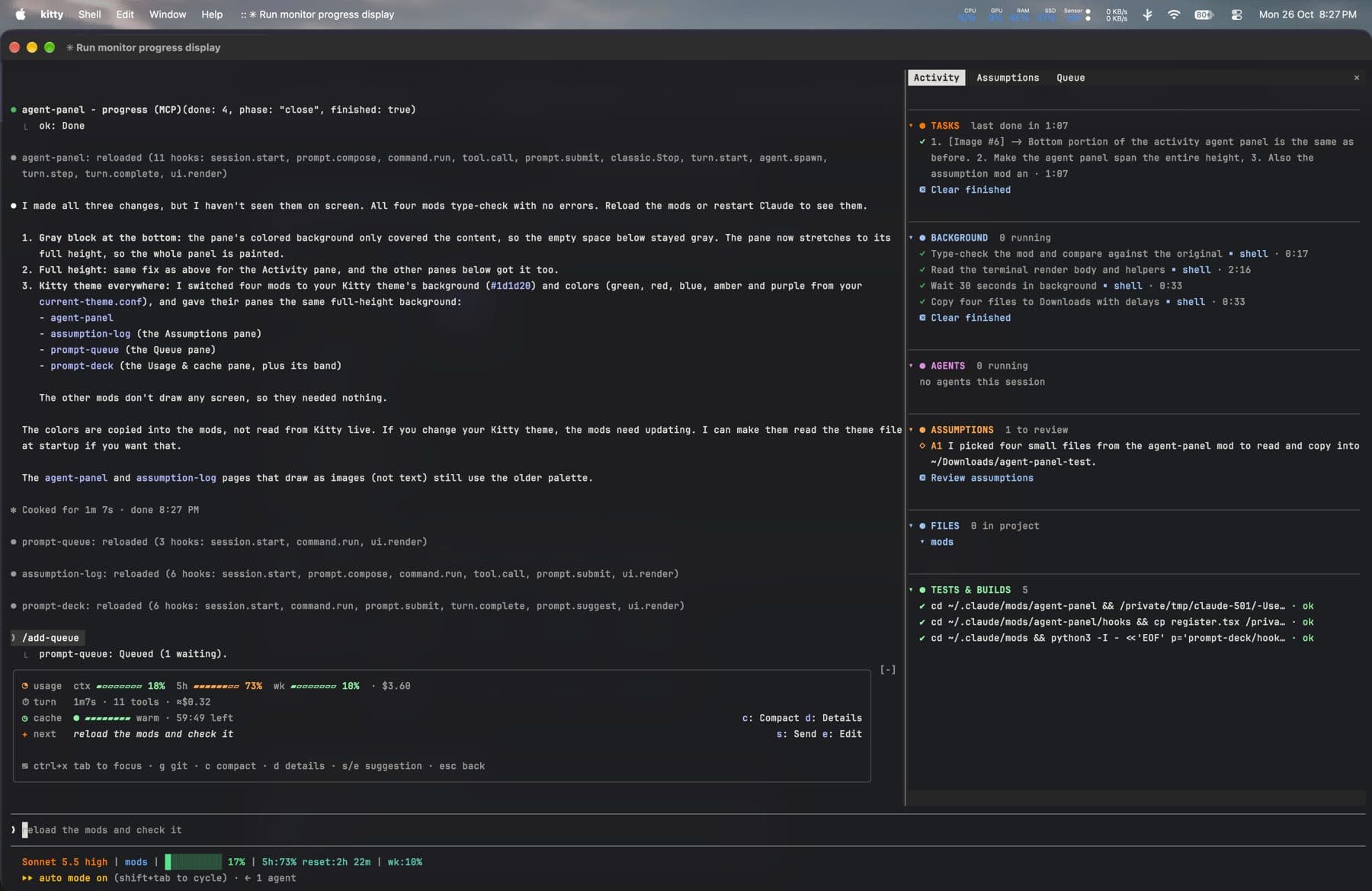
This is my Claude Code setup: 12 mods I built, a skill I wrote, my global CLAUDE.md, my status line, and the third-party plugins I use. You can copy all of it with one script, or install only the parts you want.
Install it
To take everything:
git clone https://github.com/Abrar118/claude-workflow.git
cd claude-workflow
./install.sh- adds the repo as a plugin marketplace and installs every mod and skill
- installs the third-party plugins listed below
- copies the status line script
- copies
CLAUDE.md, but only if you don't already have one; otherwise it is saved next to yours asCLAUDE.workflow.md
Then merge the statusLine and skillOverrides blocks from settings.example.json into ~/.claude/settings.json and restart Claude Code. On Windows, run the script from Git Bash; it copies the PowerShell status line instead of the shell one.
To install a single mod, the repo is a plugin marketplace:
/plugin install agent-panel --marketplace Abrar118/claude-workflowThe mods
Mods are Claude Code plugins that change the interface or hook into what Claude does.
| Mod | What it does |
|---|---|
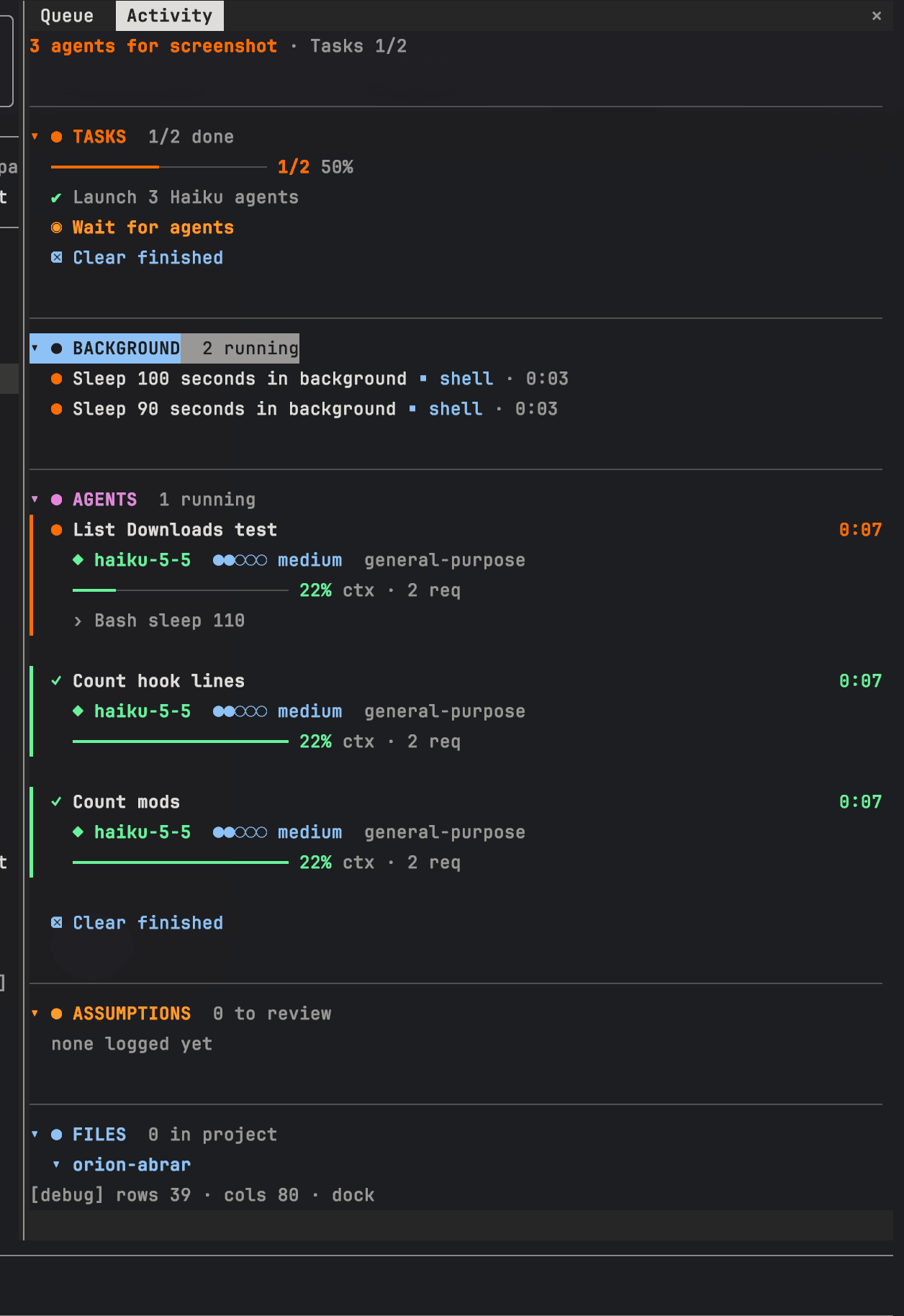
| agent-panel | Side pane with tasks, background jobs, agents (model, effort, context use), assumptions and a live file tree, plus a progress bar above the prompt. |
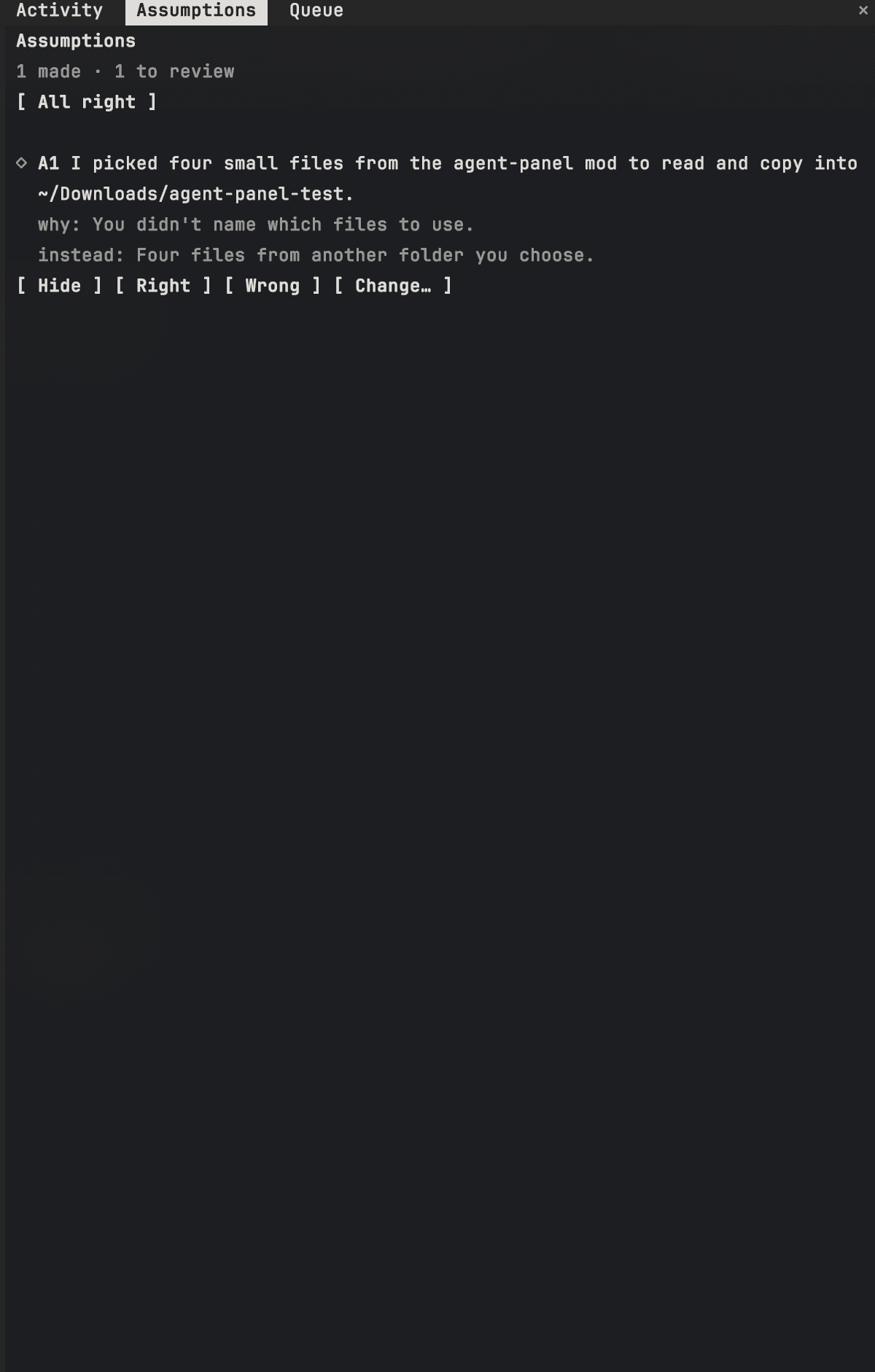
| assumption-log | Claude logs each assumption it makes. A pane lets me mark each one right or wrong, or ask for a change. |
| progress-guard | Keeps the task list honest: a reminder after every 3 tool calls without a progress update, and a toast if a turn ends with the list still open. |
| prompt-deck | Band above the prompt: context, 5h and weekly usage, session cost, prompt-cache countdown, git health and a suggested next prompt. |
| prompt-queue | Saves a prompt idea while Claude works, so I can send, modify or discard it later. |
| turn-meter | Time, tool calls and cost for each turn, plus a toast when a turn costs far more than usual. |
| limit-guard | Warns as the 5-hour limit fills up, and asks before starting subagents when it is nearly used up. |
| safety-guard | Asks before force pushes, pushes to or merges into main, rm -rf, hard resets, DROP/TRUNCATE and .env edits. Block is the default answer. |
| push-preflight | Before git push, runs the repo's format, lint and typecheck scripts and blocks the push if one fails. |
| format-on-edit | After each edit, runs the project's own formatter, only where the project already uses one. |
| venv-auto | Activates the nearest .venv for python, pip, pytest and jupyter commands. |
| debug-on-paste | When a pasted message looks like an error or stack trace, tells Claude to debug step by step. |

prompt-deck shows what turn-meter measures, so I install both together.
The skill
verify-outside-feedback: when I paste a review, critique or list of suggestions, Claude splits it into claims and marks each one Confirmed, Refuted or Unclear, with evidence such as file:line, test output or a quoted source. Then it asks before changing anything.
The status line

It shows the model and effort, repo or folder, git branch, a context bar, 5h usage with reset time, weekly usage and the open PR. There is a shell version (needs jq) and a PowerShell version for Windows that needs nothing else installed.
My CLAUDE.md
My global instructions file is short on purpose: short answers, no over-engineering, the simplest code that works, read before claiming, and run outside feedback through the skill above.
The loop
This is how I work with Claude Code day to day, and where each piece fits.
| Step | What happens | What helps |
|---|---|---|
| 1. Idea | I describe what I want, often by voice. Claude asks questions until the goal is clear. | superpowers:brainstorming |
| 2. Plan | Claude writes a plan with numbered tasks, which show up in the side pane with a progress bar. | superpowers:writing-plans, agent-panel, progress-guard |
| 3. Build | Claude works through the tasks test-first and logs every guess it makes. | superpowers:test-driven-development, assumption-log |
| 4. Queue | New ideas while Claude is busy go into a queue instead of interrupting. | prompt-queue |
| 5. Debug | When I paste an error, Claude switches to step-by-step debugging instead of guessing. | debug-on-paste, superpowers:systematic-debugging |
| 6. Review | Claude reviews the diff. Outside feedback gets every claim checked with evidence before anything changes. | /code-review, verify-outside-feedback |
| 7. Ship | Formatting runs on every edit. Lint, typecheck and format checks run before a push. Risky commands and merges into main need my OK. | format-on-edit, push-preflight, safety-guard |
Watching cost and limits
- prompt-deck shows context use, the 5-hour and weekly limits, how long the prompt cache stays warm, and a suggested next prompt.
- turn-meter adds the time, tool calls and cost of each turn, and flags a turn that costs far more than usual.
- limit-guard warns as the 5-hour limit fills up, and asks before starting subagents when it is nearly used up.
- The status line shows the model, effort, repo, branch, open PR, context bar and limits at a glance.
Setup and habits
- Terminal: Kitty with a dark theme. The mod panes use the same colours, hardcoded in each mod's
hooks/register.tsx. - Claude Code in fullscreen TUI mode, with voice input on.
- Model: Opus by default; Sonnet for lighter sessions.
- No unrequested features, refactors or abstractions.
- Use subagents only when fanning out across many items.
Third-party plugins
These aren't mine and aren't in the repo. The ones I use most: superpowers (brainstorm, plan, TDD, debug, review), frontend-design, security-guidance, claude-md-management, claude-code-setup, remember and github, all from the official marketplace, plus ui-ux-pro-max, impeccable and Uncodixfy for UI work. The README has install commands for each.
Everything of mine is MIT licensed. The full source, the PDF setup guide and every mod's tests are in the repository.